E-Commerce Checkout as an Input Quality System

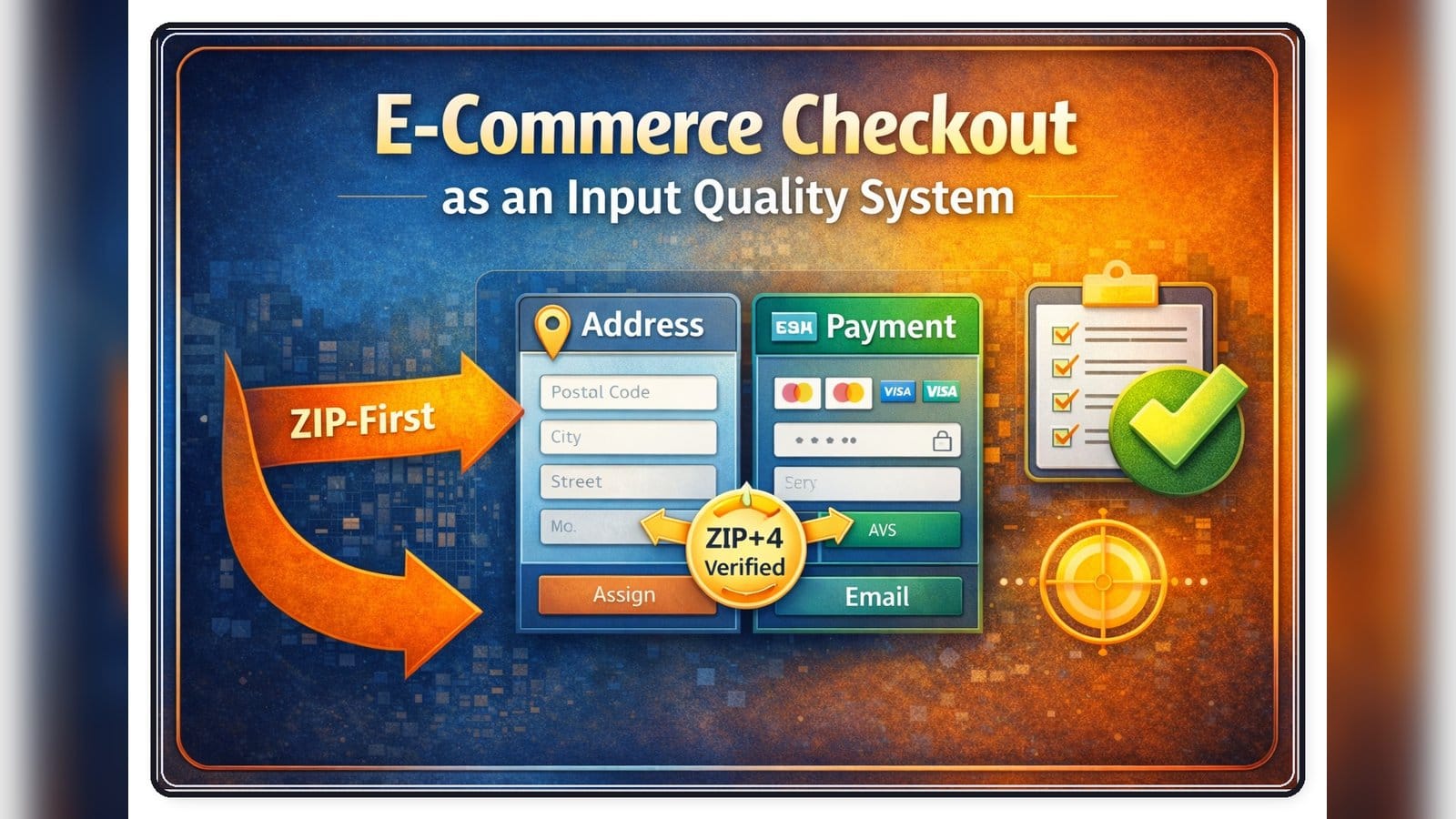
Many e-commerce checkouts rely on freeform entry and deal with data quality later. That approach increases friction and produces inconsistent input (typos, autofill artifacts, and formatting drift) that turns into downstream cost: shipping exceptions, re-ships, returns, support tickets, manual review queues, and payment exceptions.
I designed and own this checkout process as an input quality system.
This philosophy is especially important because about 90% of our customers shop on mobile. On a smartphone, typing is slow and error-prone, so we bias the UI toward selection and guided entry rather than freeform typing wherever we can.
I designed the UI to choose the appropriate mobile keyboard type for each field. For example, numeric-only keyboards for ZIP Code and other numeric inputs, and full keyboards for text fields. Small details like this reduce friction, reduce typos, and make the entire checkout feel faster.
Why We Keep AI Out of the Checkout Validation Path
AI can be useful for fuzzy assistance, but checkout validation requires deterministic, auditable behavior.
I tested AI-driven address fixes and did not see reliable gains. Non-deterministic output created new edge cases instead of removing them.
For the core pipeline, we prefer strict rules, reference data, and verification providers so the outcome is predictable and auditable. The core is the address pipeline (ZIP-first, correction, and verification with ZIP+4 gating), and we apply the same philosophy to other fields like names, email, and salutation.
Three-Stage Address Workflow
We treat address handling as a controlled pipeline with clear separation of concerns.
- Stage 1: Raw capture. We persist exactly what the customer typed, unchanged, so we always have an audit trail and can reproduce the original intent.
- Stage 2: Address correction. We clean and normalize the address text to remove noise, fix common formatting issues, and standardize tokens before validation.
- Stage 3: Address verification. We submit the corrected address to an address verification provider for verification and enrichment, including ZIP+4 and metadata signals such as residential vs commercial.
Because AVS is primarily driven by house number and ZIP, we treat those two fields as high-signal inputs and avoid letting noise or formatting errors leak into billing data.
This verification output feeds both fulfillment quality and fraud controls. For example, residential or commercial classification (and other metadata) helps us reason about where we are shipping, including edge cases like hotels, mail receiving services, and forwarding patterns.
Why ZIP-First Works Better Than Everything at Once
ZIP is the smallest piece of address data that customers reliably know and can enter quickly. It also gives you a strong geographic anchor early in the flow.
Once you have ZIP, you can:
- Prefill city and state and avoid mismatches like NYC plus NJ ZIP
- Narrow the search space for address suggestions
- Route validation logic differently for edge cases like PO Box and rural route
This is especially useful in checkout flows where speed matters and every extra field increases friction.
The Hard Part: Autocomplete Is Not Truly ZIP-Native
If you only pass a ZIP code into a typical address autocomplete request, you quickly hit limitations:
- ZIP is not a stable place in the same way as a city or a full address
- ZIP boundaries are not clean polygons in many datasets
- Customers often live near ZIP borders and the closest suggestions can drift
- Correct suggestions can be slower to appear without better geographic context
So instead of treating ZIP as a string, I treat it as a geographic object.
ZIP Intelligence: Turning a ZIP Code Into Useful Geometry
Implementation note: the ZIP intelligence becomes a geographic bias for Google Places. We compute a centroid and an effective radius for the ZIP, then set an Autocomplete bounds circle and enable strict bounds so suggestions stay within that region. This makes the correct street-level suggestions appear faster and reduces drift across nearby ZIP borders.
For each ZIP, I enrich it with data that helps me bias and accelerate suggestions:
- Approximate center coordinates
- Approximate coverage size as an area signal
- A radius or bounding region to represent how wide the ZIP is
- Optional hints about density or spread to tune how strict the bias should be
This lets me do something more practical than search by ZIP:
- Restrict or bias suggestions to the ZIP region
- Adjust bias strength based on ZIP size, tight in dense city ZIPs and looser in wide rural ZIPs
- Make correct suggestions appear earlier with fewer keystrokes
Result: after ZIP entry, the street address field starts producing real-looking matches quickly, often within the first few characters.
Autocomplete Implementation: ZIP-Biased Street Suggestions
The checkout is ZIP-first.
- ZIP Code is resolved using our internal reference data. One table provides ZIP to City and State mapping. A second table provides geographic signals for the ZIP region (a stable center point and size signals).
- We use those ZIP signals to bias street address suggestions toward the correct area.
- Street address suggestions are generated with the Google Places Autocomplete API. Suggestions are restricted to the US. After ZIP is known, we apply a tight geographic bias (bounds derived from the ZIP center plus an effective radius) and enable strict bounds so predictions stay within that region.
Practical UX guardrails we use:
- Normalize the raw street input (trim repeated spaces, consistent casing) so we can reconcile what the customer typed with what the API returns.
- If the selected suggestion does not include a street number, we preserve the customer-typed number prefix and combine it with the returned route.
- PO BOX is treated as a distinct address type. If the customer starts entering PO BOX, we normalize that pattern early and suppress irrelevant street suggestions.
There is also a Copy Shipping to Billing option, so most users enter address data once.
Why We Do Not Verify Address Live in Checkout
We tested live address verification inside checkout. If the customer entered an address and we could not immediately produce ZIP+4, we would show an error and ask them to confirm or correct the address.
In practice this did not improve outcomes. Most customers are confident that what they typed is correct, and when challenged they tend to re-enter the same address with minor variations. The result was more friction and more abandoned checkouts, without a meaningful increase in verified ZIP+4 addresses.
So we moved verification out of the checkout path.
- Checkout focus: capture intent quickly and reliably.
- Post-checkout focus: standardize, verify, and resolve exceptions without blocking the purchase.
Operationally, when the customer clicks Place Order, we run correction only and accept the order without calling an address verification provider.
We run ZIP+4 verification later, during order processing, before releasing the order to fulfillment.
This separation is intentional: order acceptance should be as independent as possible from external services, while verification can run as a controlled operational step with clear exception handling.
Because ZIP+4 verification is a release condition for fulfillment, we avoid a single point of failure. We integrate two address verification providers and can switch between them if one provider is degraded or unavailable.
This keeps the checkout fast and reduces customer frustration, while still enforcing our ZIP+4 gating rule before shipping.
UX Flow in Practice
ZIP input
The customer enters a 5-digit ZIP code.
City and state autofill
City auto-selects or best matches and state fills automatically.
If multiple acceptable city names exist for the same ZIP, the UI can show a dropdown but default to the most common.
Address input with biased suggestions
The customer starts typing the street address.
To reduce wrong selections, we do not aggressively show suggestions from the first character. In most US addresses the Delivery Address Line begins with a primary street number (with a few special cases such as PO BOX and other non-street formats). Once the customer has entered the street number and a separating space, we start showing street suggestions. This simple gating rule materially improves accuracy because it prevents users from clicking an early, wrong suggestion before they have anchored the address with the correct house number.
In practice, once ZIP is known and the house number is entered, the correct address usually appears within the first few suggestions. Most of the time it is already in the top three or four results, so the customer can select quickly without scrolling or retyping. Suggestions are produced by the Google Places Autocomplete API, but the query is biased using the ZIP intelligence described above.
This reduces random suggestions from nearby cities or similarly named streets in other states, a common failure mode in generic autocomplete.
Unit and secondary info
Apartment or suite can be typed inline or captured separately as long as normalization is strong.
The Second Hard Part: What Customers Type Is Not What You Want to Use
Even with autocomplete, customers still type noise:
- Extra punctuation and duplicated city names
- Notes like leave at door or call me
- Misspellings and creative abbreviations
- Broken unit formatting like APT2, # 2, Unit:two, FL 3
If you store this raw, you get shipping label failures, delivery delays, returns, and support tickets. So the checkout UI is only the first layer. The real reliability comes from the order-time pipeline.
USPS Standardization: What We Normalize To
USPS Publication 28 frames a complete, standardized address around two core lines:
- Delivery Address Line
- Last Line: CITY ST ZIP+4
Publication 28 also states that the Delivery Address Line and the Last Line should be complete, standardized, and validated using the ZIP+4 file and the City State file.
For the Delivery Address Line, USPS treats the street address as components separated by single spaces:
- Primary address number: house number, for example 123
- Predirectional: direction before the street name, for example N, S, E, W
- Street name: the actual street name, for example MAIN
- Suffix: street type, for example ST, AVE, RD, DR
- Postdirectional: direction after the suffix, for example NW, SE
- Secondary address identifier (unit designator): apartment or suite label, for example APT, STE, UNIT, FL, RM
- Secondary address (unit number): the unit value, for example 12, 5B, 302
In our checkout we collect the street portion in two fields:
- Address 1: the Delivery Address Line without the secondary unit.
- Address 2: the secondary address information (apartment, suite, unit, floor, room), using a proper unit designator such as APT, STE, UNIT, FL, RM. We avoid relying on a pound sign when the correct designator is known.
We do this for user experience and data cleanliness, but the pipeline always recombines and standardizes both fields into USPS-friendly output for shipping and downstream systems.
Standardization rules we consistently apply:
- Use USPS-style street suffix abbreviations and directional abbreviations.
- Normalize the secondary unit into a real designator plus unit number.
- Remove noise and non-address notes from Address 1 and Address 2.
- Output the last line using the 2-letter state code and ZIP+4.
Address Correction Layer: What We Fix Before Verification
Before we call the verification service, we run a correction pass that standardizes the street line and removes common sources of failure.
- Company field cleanup. We keep an optional Company field because it materially improves deliverability for business, campus, and institutional destinations (company names, departments, universities, buildings). However, this field is also a magnet for autofill noise and "self-description" text that does not belong in a postal address.
- Remove non-numeric periods. Dots that are not part of a numeric pattern are replaced with spaces.
- PO BOX normalization. We aggressively normalize common variations like "p o box", "pobox", "post box", and typo variants into "PO BOX".
- Remove needless words and form artifacts. For example trailing "none", "private house", or text like "Billing Address Line 2".
- Apartment and unit token normalization. We normalize variants into USPS-style designators such as APT, STE, UNIT, FL, RM, BLDG, TRLR, LOT, PMB.
- Fix missing spaces. We handle patterns like "apt12" to "APT 12", no-space street suffixes, missing space between house number and direction, and missing space right after the leading number.
- Normalize common street abbreviations and frequent misspellings. Examples include STREET to ST, AVENUE misspellings to AVE, DRIVE to DR, and several highway and county road patterns.
- Remove accidental city, state, and ZIP that the customer pasted into the street line. We remove both spaced and no-space variants.
- State-specific address range patterns. For WI, MI, and IL we normalize patterns like "W 350 S 10159" into the expected compact form.
- Remove duplicate words.
- Suspicious filters. We flag cases like no digits, only digits, no spaces, too short, too long, or unusual patterns, and mark them for extra scrutiny.
Every correction run produces a human-readable change log message list and a status flag, and we store both the original and corrected values for traceability.
Results From Production Data
We measured the ZIP+4 gating workflow on a sample of 5,300 orders.
- About 5.5% of addresses did not reach ZIP+4 automatically and required manual follow-up.
- In practice, only a small fraction of those exceptions required contacting the customer. Most were resolved internally through correction and verification-driven adjustments.
Input Guardrails: Character-Level Validation
Wherever possible, we apply simple keyboard-level input guardrails that prevent invalid characters from being entered in the first place.
- State abbreviation accepts only two letters.
- ZIP Code accepts only five digits.
- First Name and Last Name accept letters and a small set of common name characters, while blocking obviously invalid symbols.
This reduces validation errors, keeps the form responsive, and prevents low-quality input from entering the pipeline.
Payment Field Guardrails
Payment fields are another place where small input mistakes create outsized operational cost (failed authorizations, retries, and support tickets). I keep the validation standard and deterministic:
- Card number: format validation and Luhn check, with automatic spacing for readability.
- Expiration date: numeric-only input with basic range checks (MM/YY).
- CVV: numeric-only input with length validation (typically 3 or 4 digits depending on the card type).
The goal is not to add "smart" logic, but to prevent avoidable input errors and keep the authorization flow predictable.
Name Entry Assistance
The checkout provides lightweight input assistance for First Name and Last Name.
- Suggestions come from two internal reference tables: about 5,000 common US first names and about 162,000 common US last names.
- We start showing suggestions only after the customer has typed the first three letters.
- Suggestions are ordered by usage frequency, so the most common matches appear at the top of the dropdown.
- Privacy note: we never populate these tables from real customer names. The reference data is a generic list of common first and last names, not derived from our customer base.
- We do not auto-correct or rewrite customer names. We store names exactly as entered, because name formatting is not a deliverability gate in the same way address verification (ZIP+4) is.
On a 250,000-order sample, our first-name suggestions cover about 87% of customers and our last-name suggestions cover about 91%.
Email Entry Assistance
Email is another high-impact field where small typos create real downstream impact. We see frequent misspellings in common domains (for example Gmail, Yahoo, Hotmail), which leads to failed order confirmations and avoidable follow-up.
- We use domain autosuggestion driven by an internal table of about 100 popular email domains. This helps customers complete the domain quickly and reduces typos.
- We maintain a dedicated correction table with about 300 common domain misspellings. When the intent is obvious, downstream communication uses the corrected domain.
Even with domain autosuggestion, we still see about a 0.6% error rate in domain entry. Those cases are typically fixed automatically using our table of about 300 common domain misspellings.
This improves deliverability of transactional emails and reduces avoidable support workload. In our traffic, roughly half of customers use Google or Yahoo email domains, so catching those common domain typos has an outsized impact.
Why We Keep AI Out of the Checkout Validation Path
I experimented with using AI to "fix" addresses during checkout. In practice, it did not produce reliable gains.
Address and payment flows are high-stakes and require deterministic behavior. AI models can be inconsistent and occasionally produce confident but incorrect outputs, which creates new edge cases instead of removing them.
For the core pipeline, we prefer strict rules, reference data, and verification providers so the outcome is predictable and auditable.
Conclusion
Modern e-commerce checkout is not just a form. It is a controlled input system that turns messy human typing into data you can reliably use for fulfillment, payments, and communications.
The approach is consistent across fields:
- Reduce typing on mobile with suggestions, selection-first UX, and the right keyboard types.
- Prevent invalid characters early with simple input guardrails.
- Preserve raw input for traceability, then apply deterministic correction and verification where it matters.
- Enforce a clear operational rule before shipping: I treat verified ZIP+4 as a release condition. Orders are not released to fulfillment unless ZIP+4 is verified.
Input quality is not a UX detail - it is an operational control surface.